
How do I set up a 2-of-3 MultiSig?
This walkthrough creates a 2-of-3 MultiSig — three participants (A, B, C) share control, and any two signatures can spend. The example follows a USDT-TRC20 MultiSig; other chains follow the same flow. For the why and when, see MultiSig explained.
Before you begin
- Each participant installs Ownbit and creates a MultiSig wallet, which gives each person a MultiSig wallet ID used to add them.
- Agree in advance on the chain (this example uses Tron/TRC20) and the mode (2-3).
- Everyone must back up their own mnemonic — MultiSig combines separate keys and no one ever shares a seed.
MultiSig is a way for several people to manage assets together. In a 2-of-3 setup, 2 signatures are enough to spend. Take care when sharing a MultiSig with people you don't know well.
Create the MultiSig
Create a MultiSig wallet
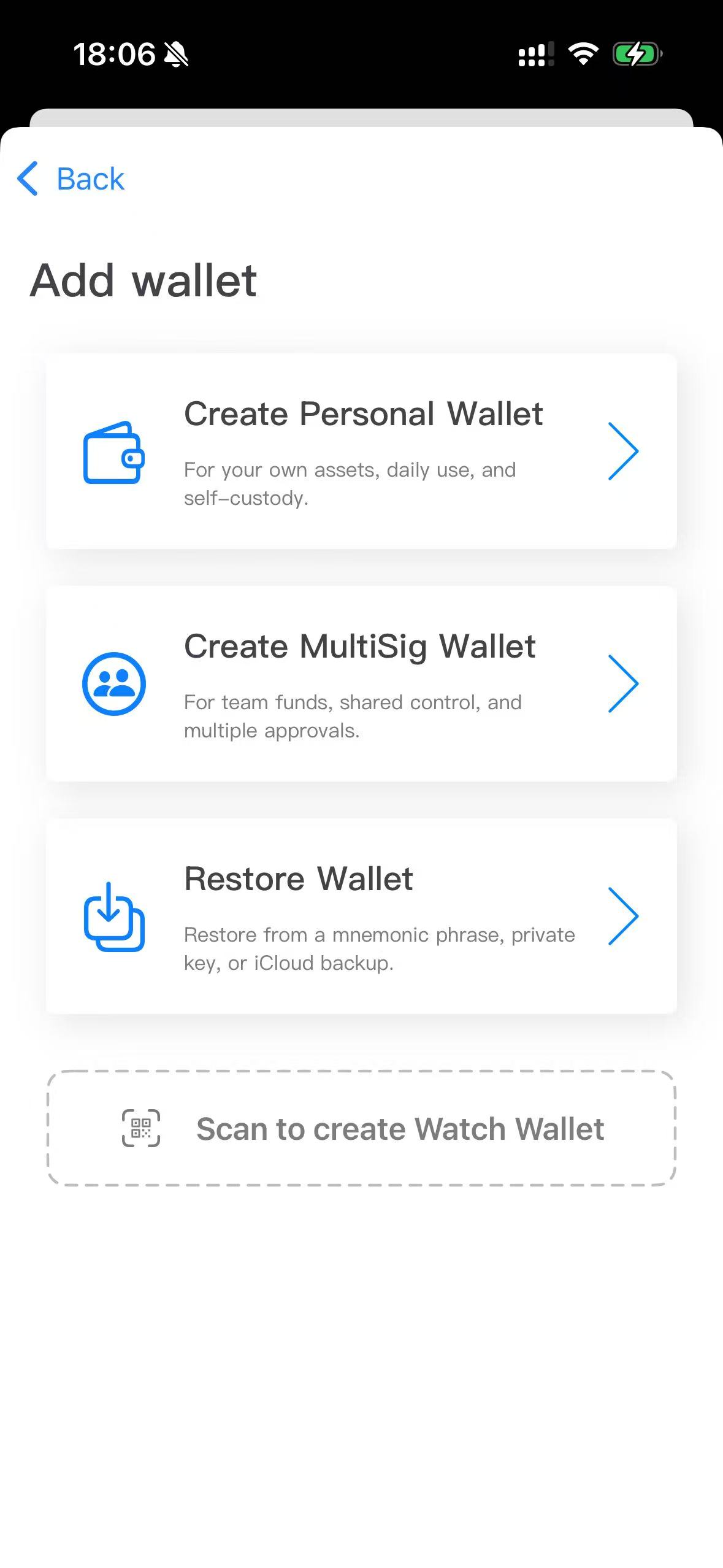
Open Ownbit and on the Add wallet page tap Create MultiSig Wallet. Each participant does this once; it produces their MultiSig wallet ID (e.g. obms_user1).
Start a new MultiSig and name it
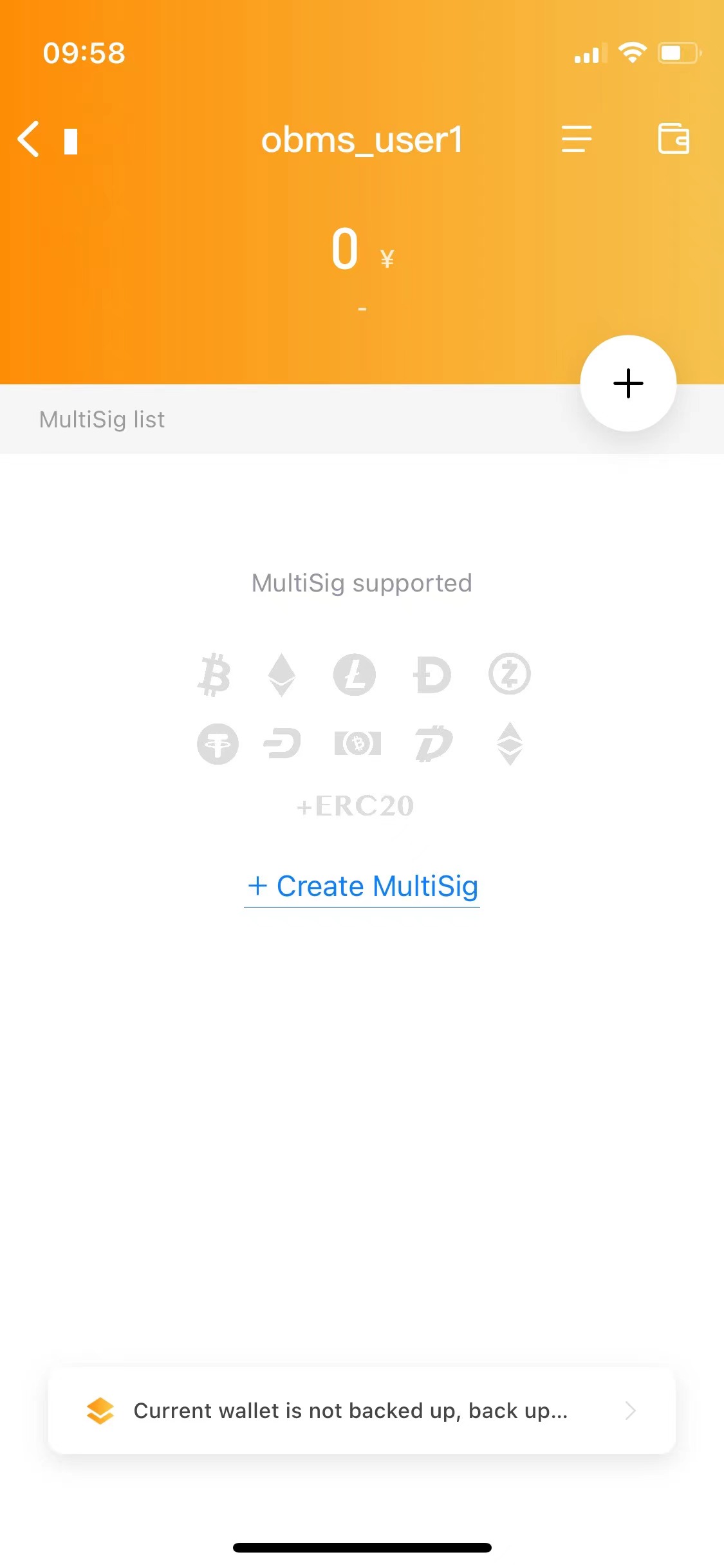
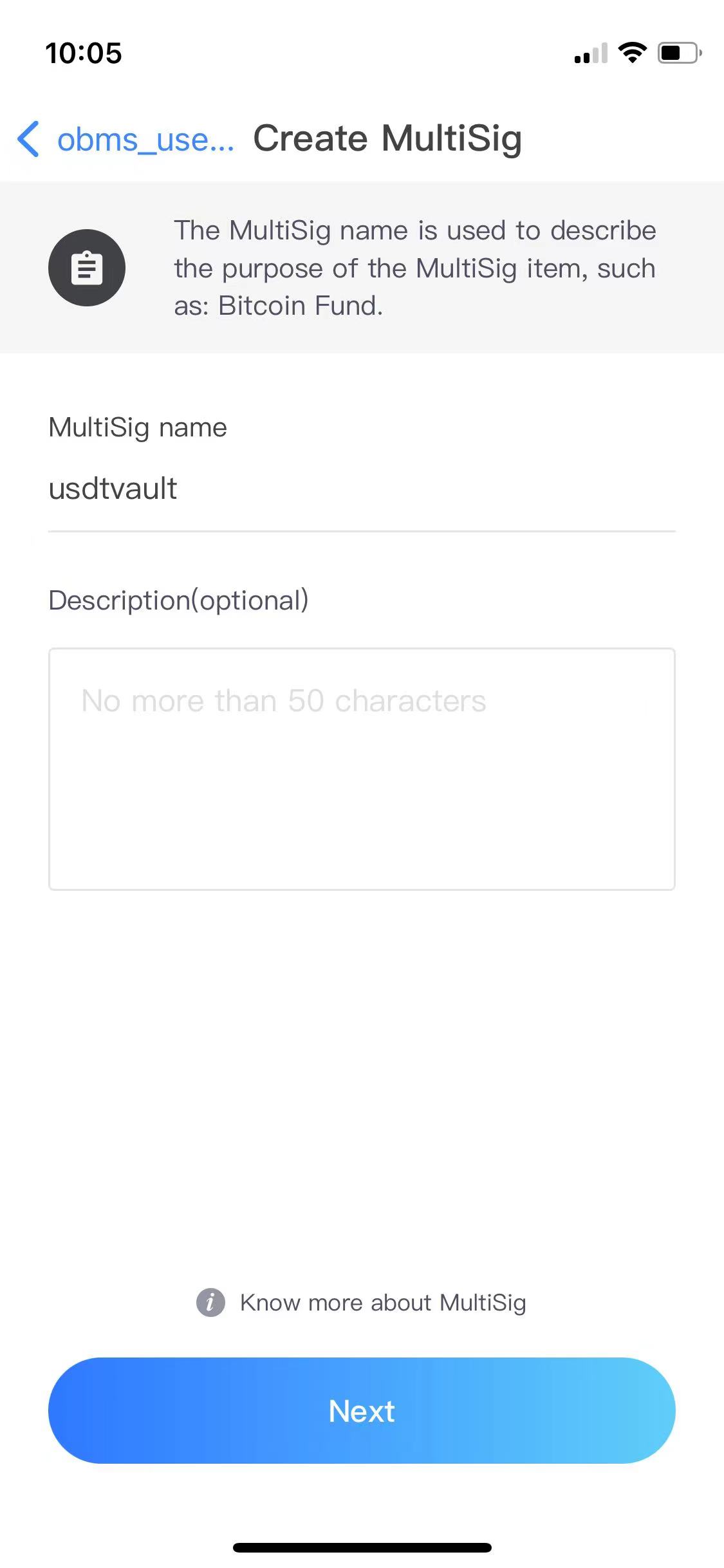
On the MultiSig wallet page tap + and enter a name.
Choose the permission scenario
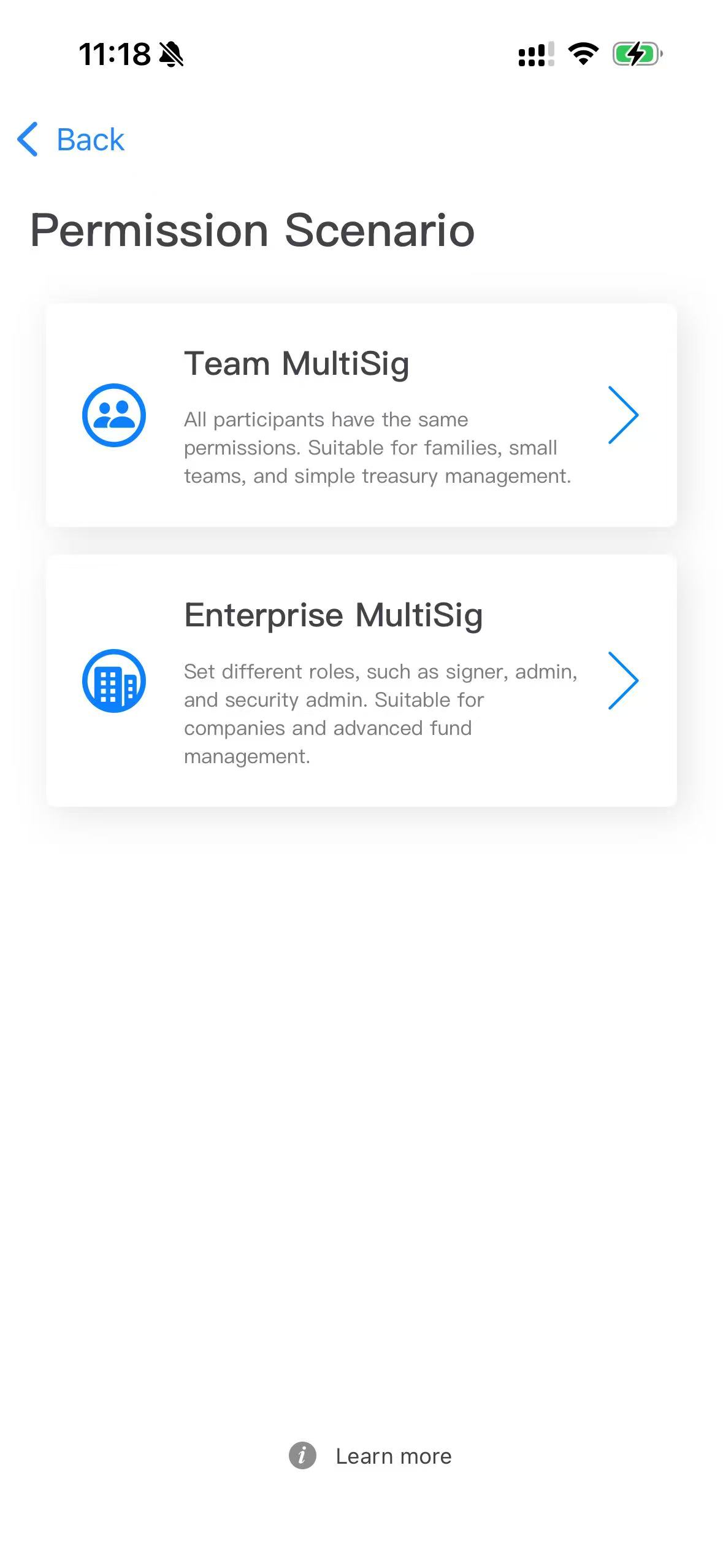
Pick Team MultiSig (everyone has equal permissions). For roles and weights choose Enterprise MultiSig instead.
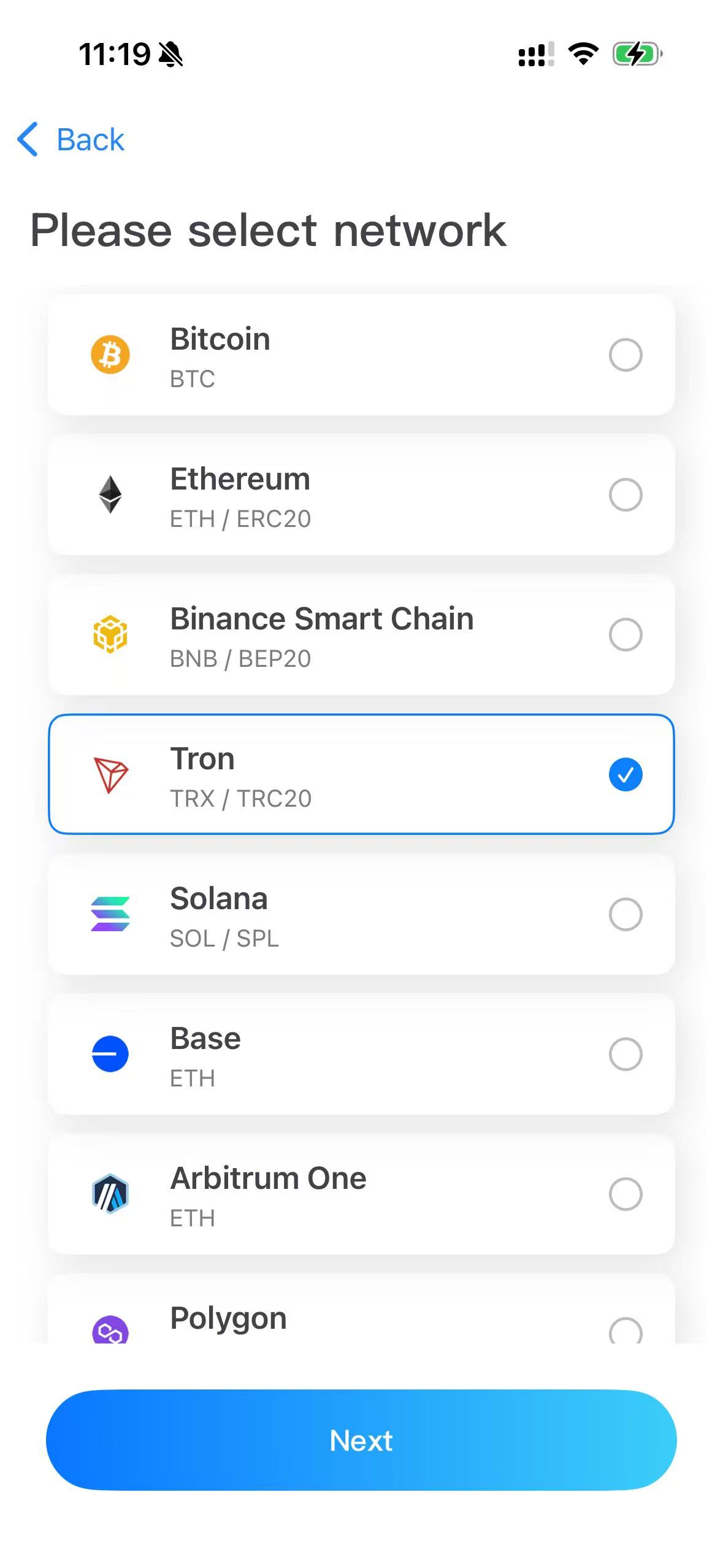
Select the network
For TRC20 choose Tron. All TRC20 tokens are created under the Tron network.
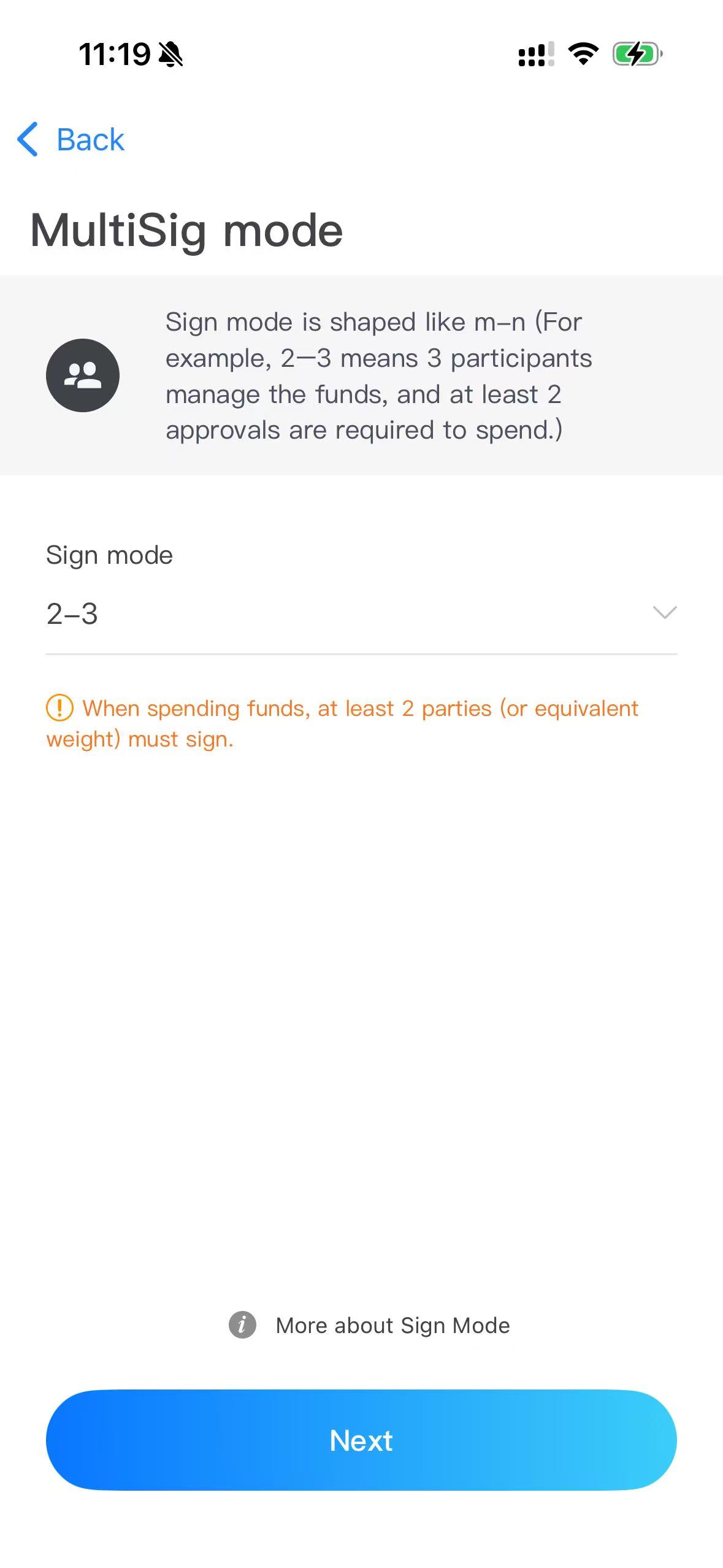
Choose the signing mode
The mode is written m-n: n is the total participants, m the minimum signatures to spend. Choose 2-3.
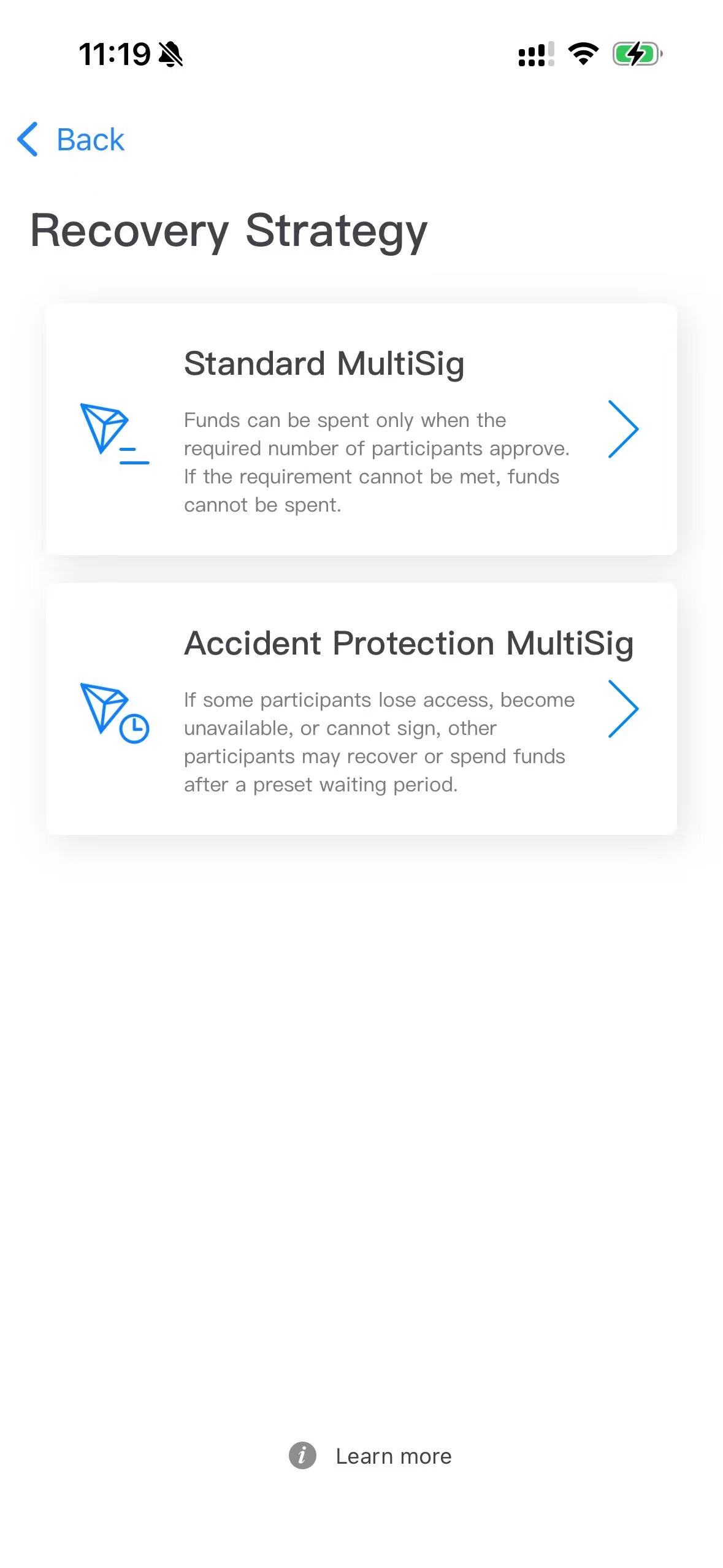
Choose the recovery strategy
Standard MultiSig for this 2-3 example. Choose Accident Protection if you worry a participant could lose access over time (recovery after ~416 days of inactivity).
Add participants and deploy
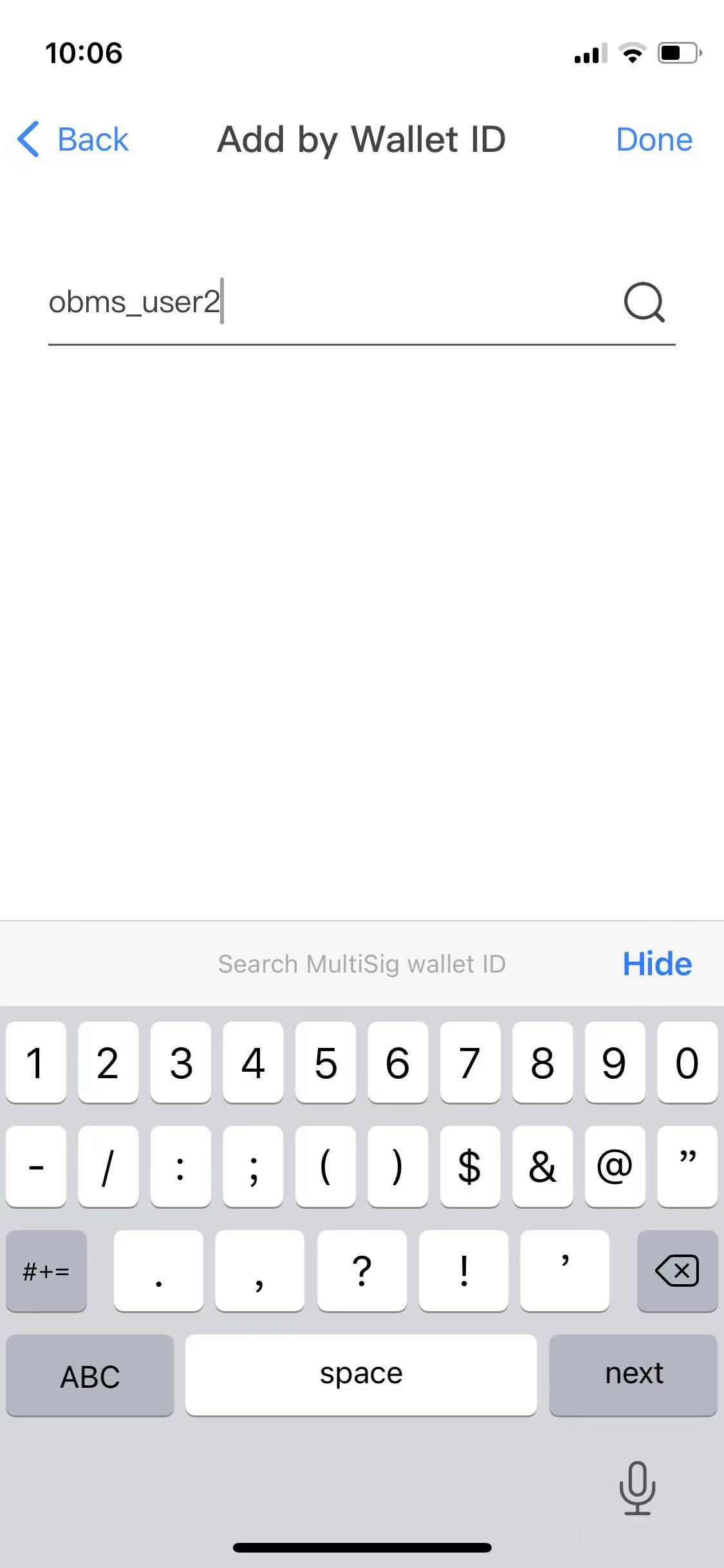
Add the other participants
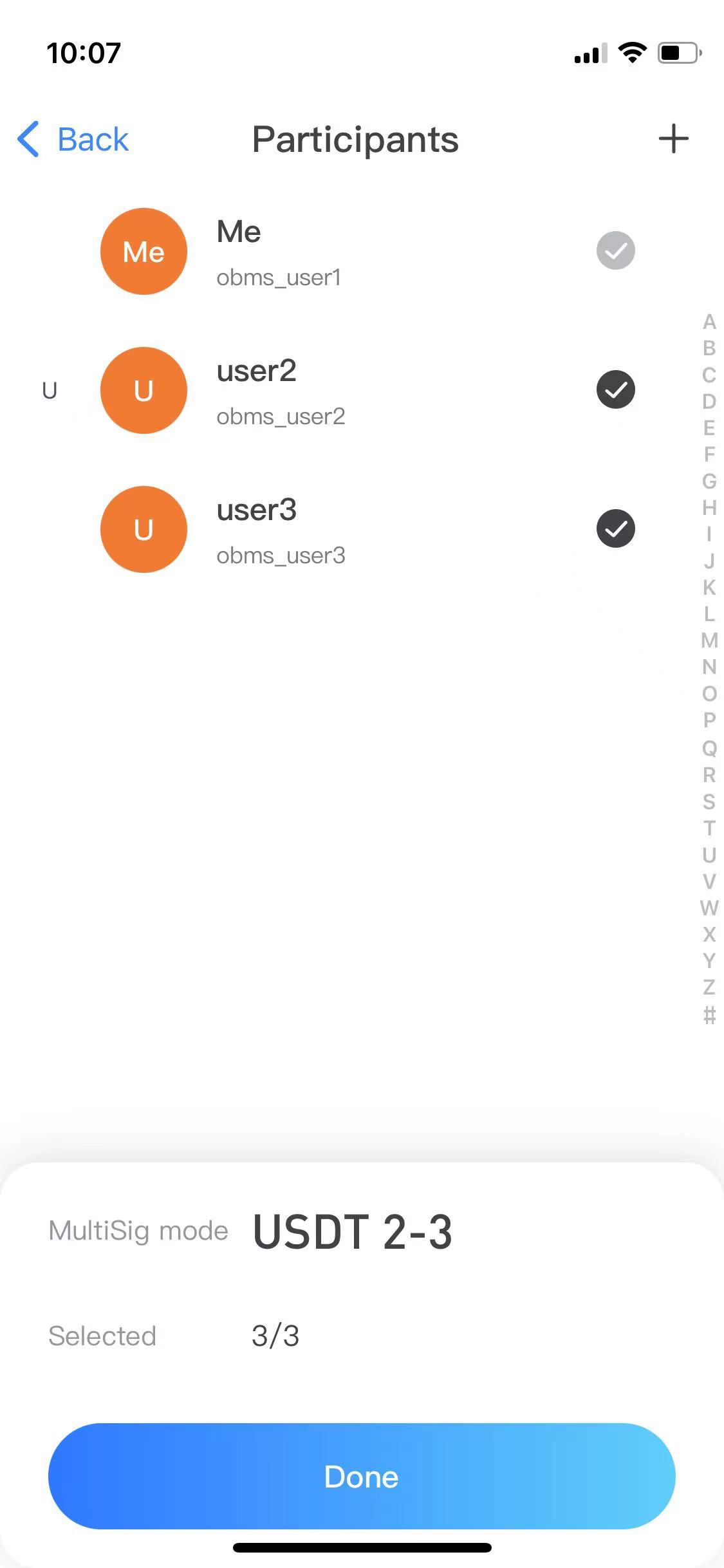
On Select Participants tap + and enter the other participants' MultiSig wallet IDs.
Others join
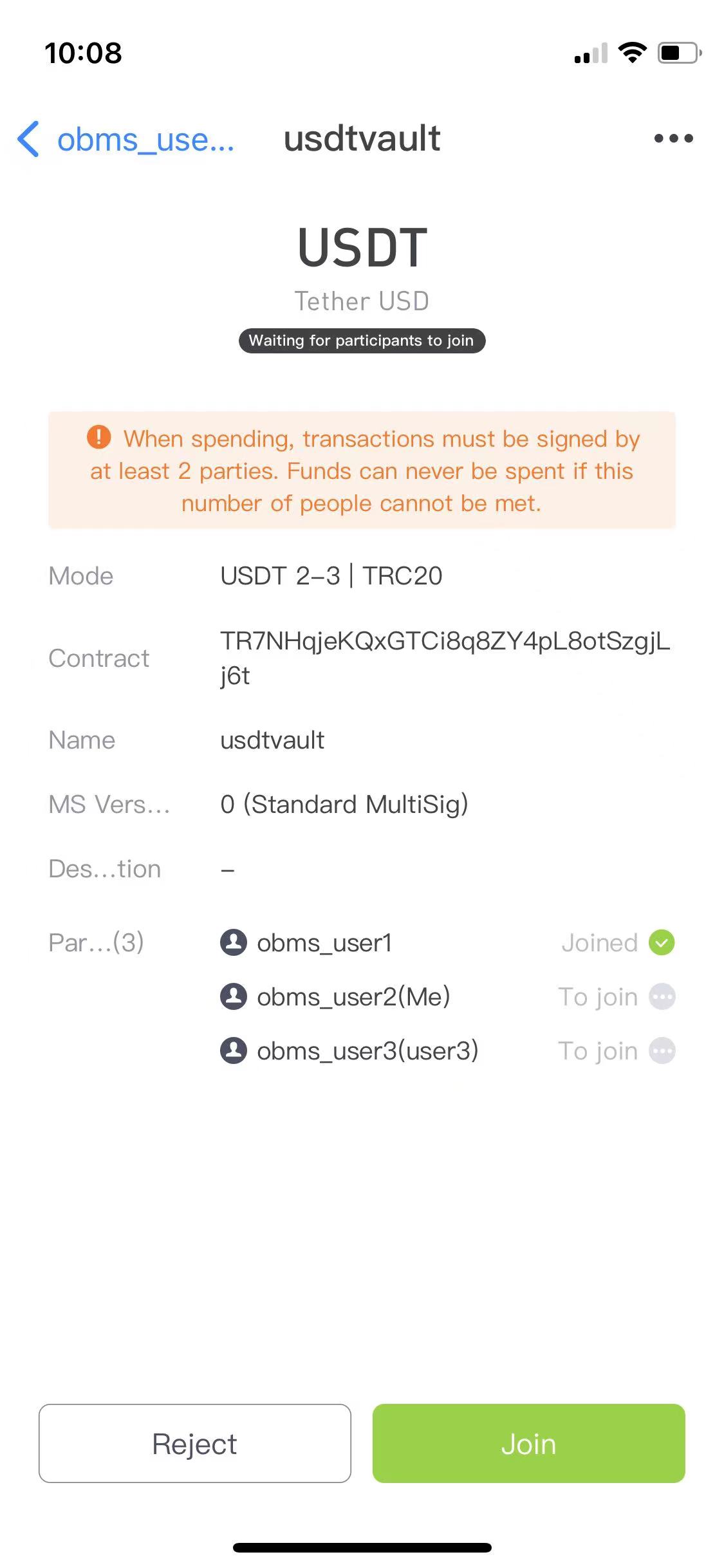
A matching MultiSig entry appears in each participant's Ownbit; they open it and tap Join.
Deploy the MultiSig contract
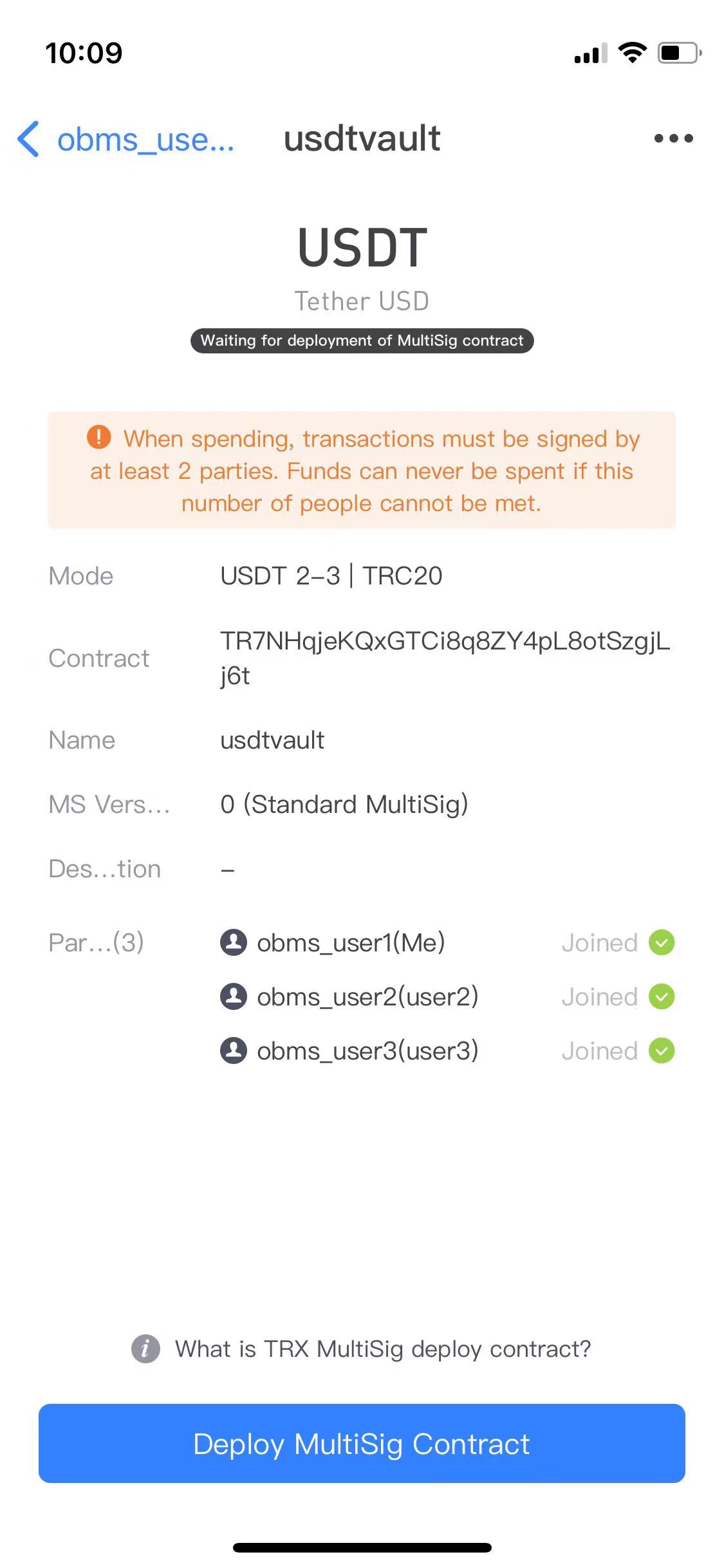
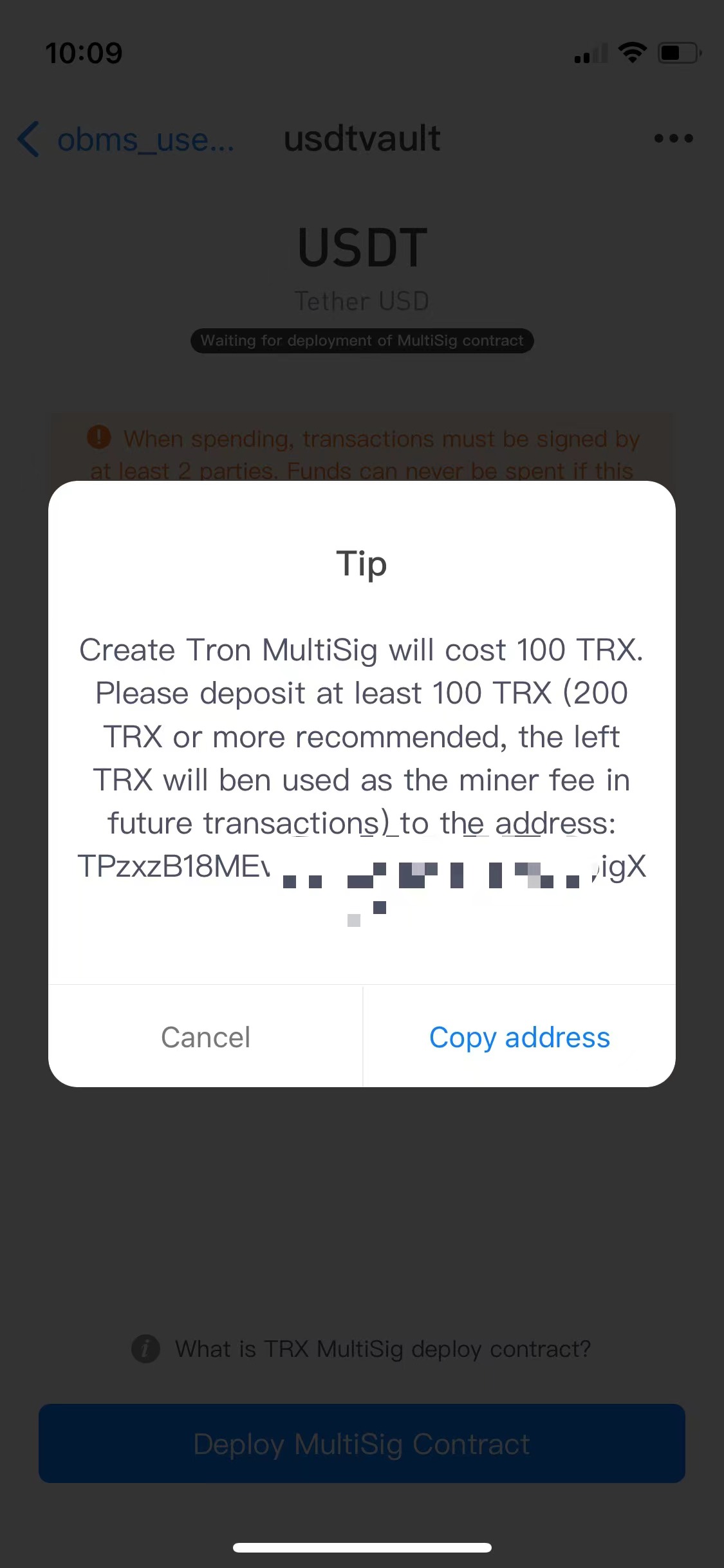
Once everyone has joined, the creator's page enters the Deploy state. Tap Deploy and, when prompted, deposit an appropriate amount of TRX to deploy.
Deposit to test
After deployment the MultiSig is created and you can deposit funds (e.g. USDT) into the new address.
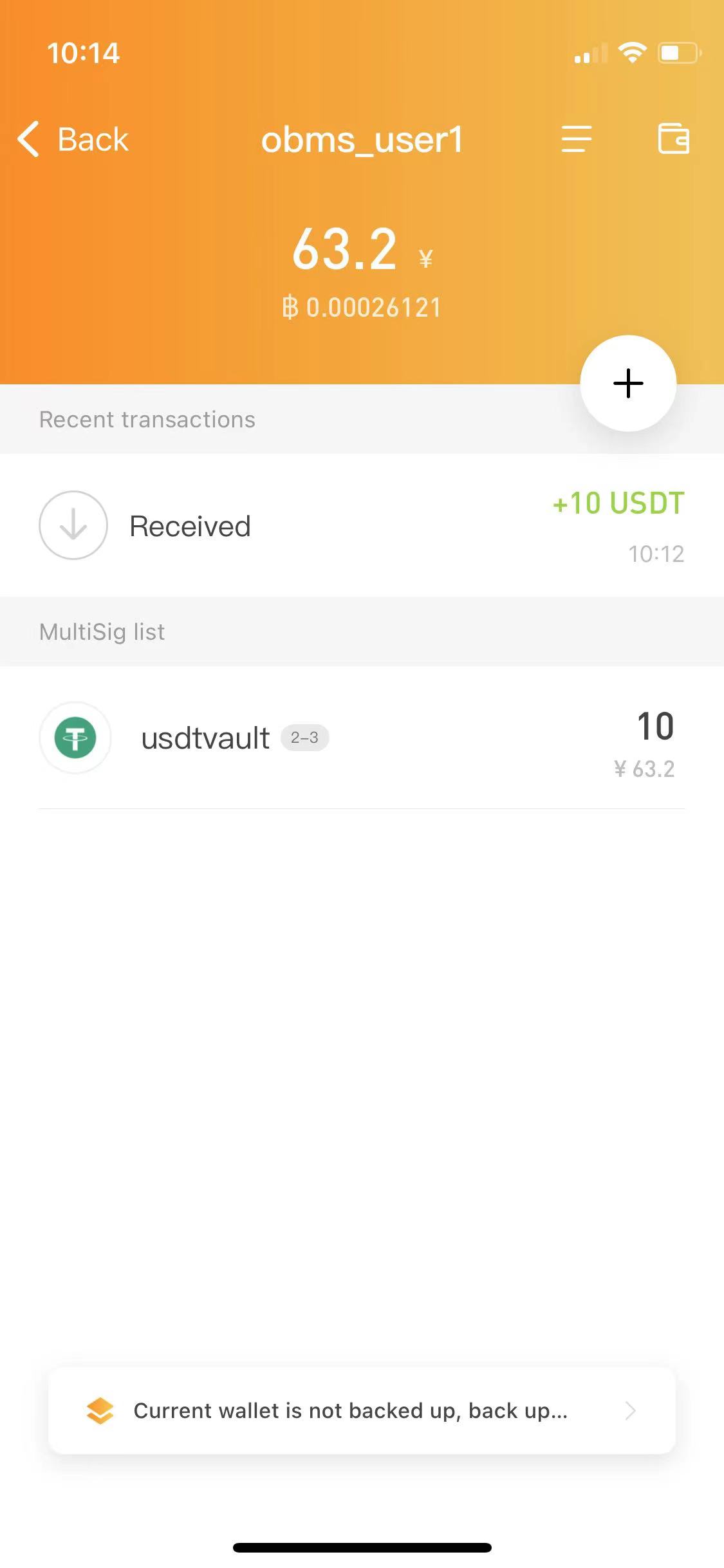
On EVM chains (ETH/BSC) deploying costs a small amount of the chain's native coin as gas instead of TRX; the rest of the flow is the same.
Spend from the MultiSig
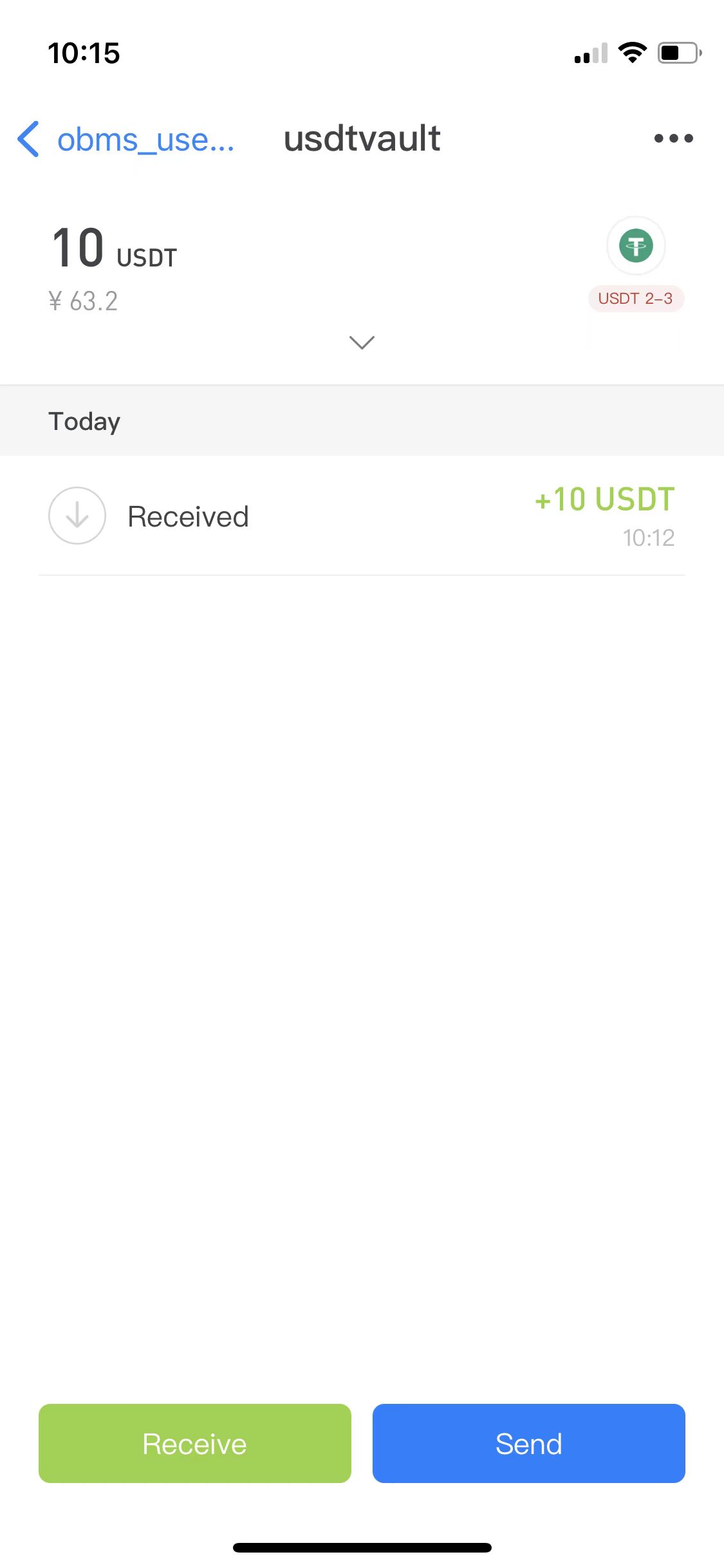
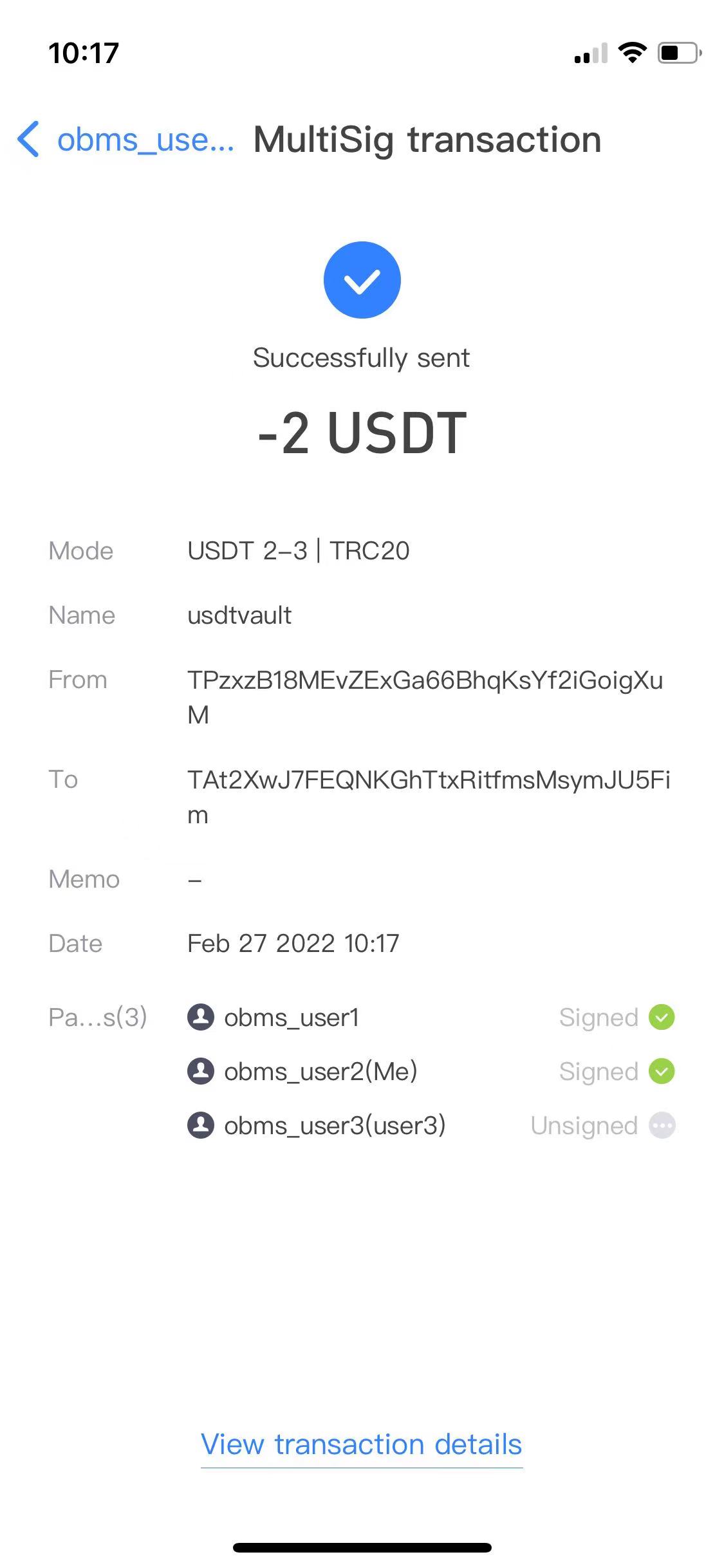
One party initiates the send
One participant taps Send, fills in the details and enters their password to sign.
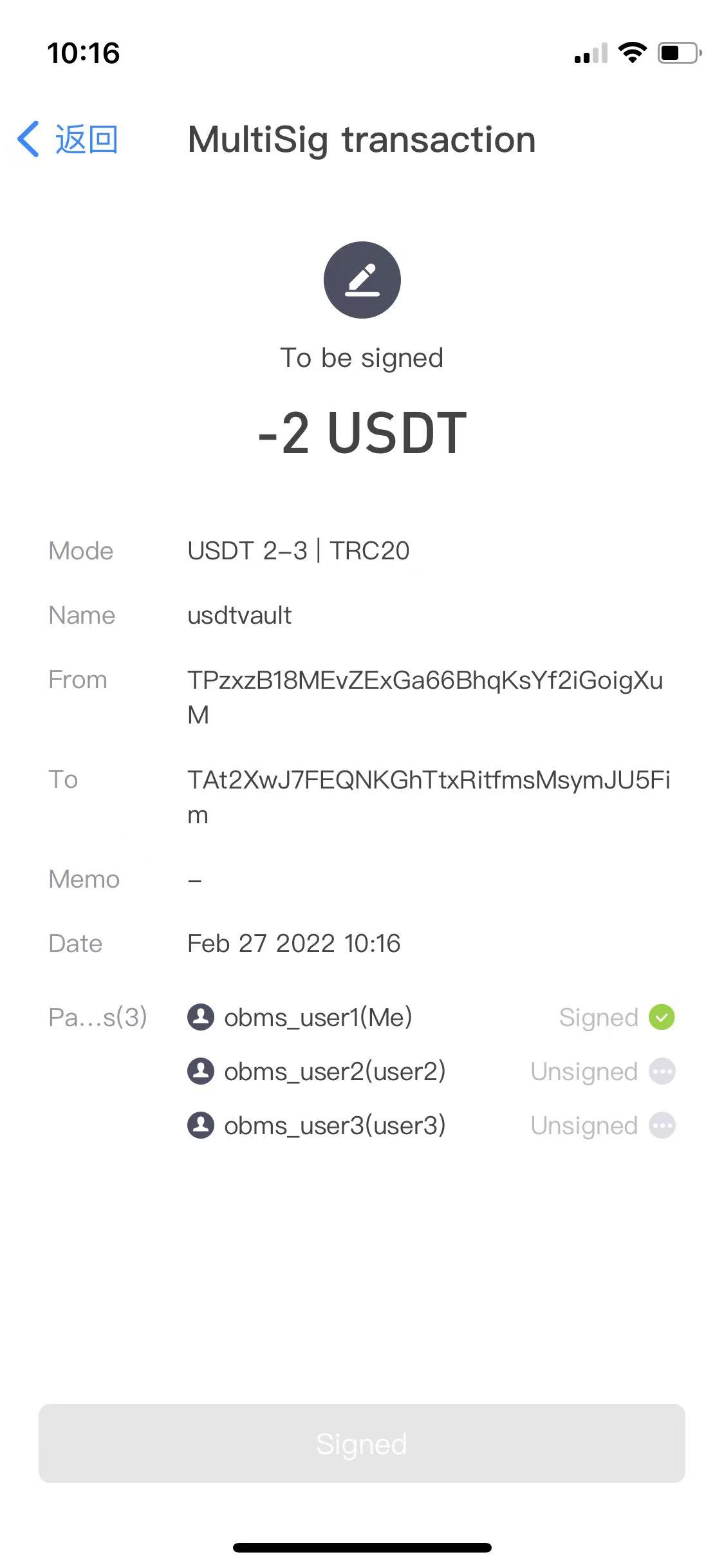
Other participants sign
The others receive a signing prompt and sign.
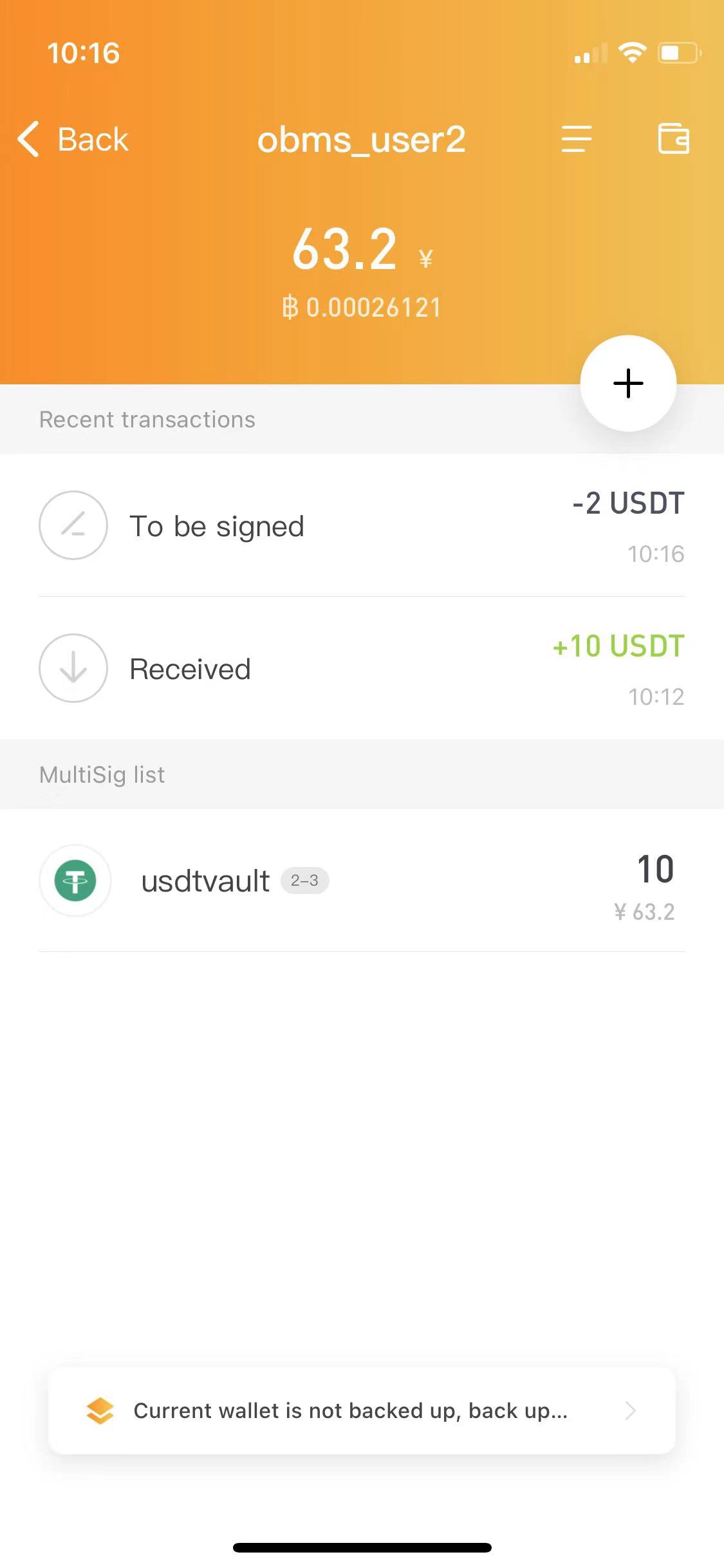
Auto-broadcast
Once the number of signatures reaches the minimum (2), the transaction broadcasts automatically and takes effect.
Frequently asked questions
What does 2-of-3 MultiSig mean?
Three participants share control and any two must sign to spend. It survives the loss of any single participant while still requiring genuine multi-party approval.
Do we share a seed phrase to create it?
No. Each participant keeps their own separate mnemonic and is added by their MultiSig wallet ID. No seed is ever shared.
Can I change participants later?
Not with a Team MultiSig like this 2-of-3 — it's fixed at creation, so plan the participants and mode carefully. If you need to change signers later, use Enterprise MultiSig (supported on the EVM family and TRON).
Last updated:
Download Ownbit
Install the app, then set up a cold wallet or MultiSig for the setup you need.